

- Use the Disputes API.
- Use the Customer Area.
Klarna flow
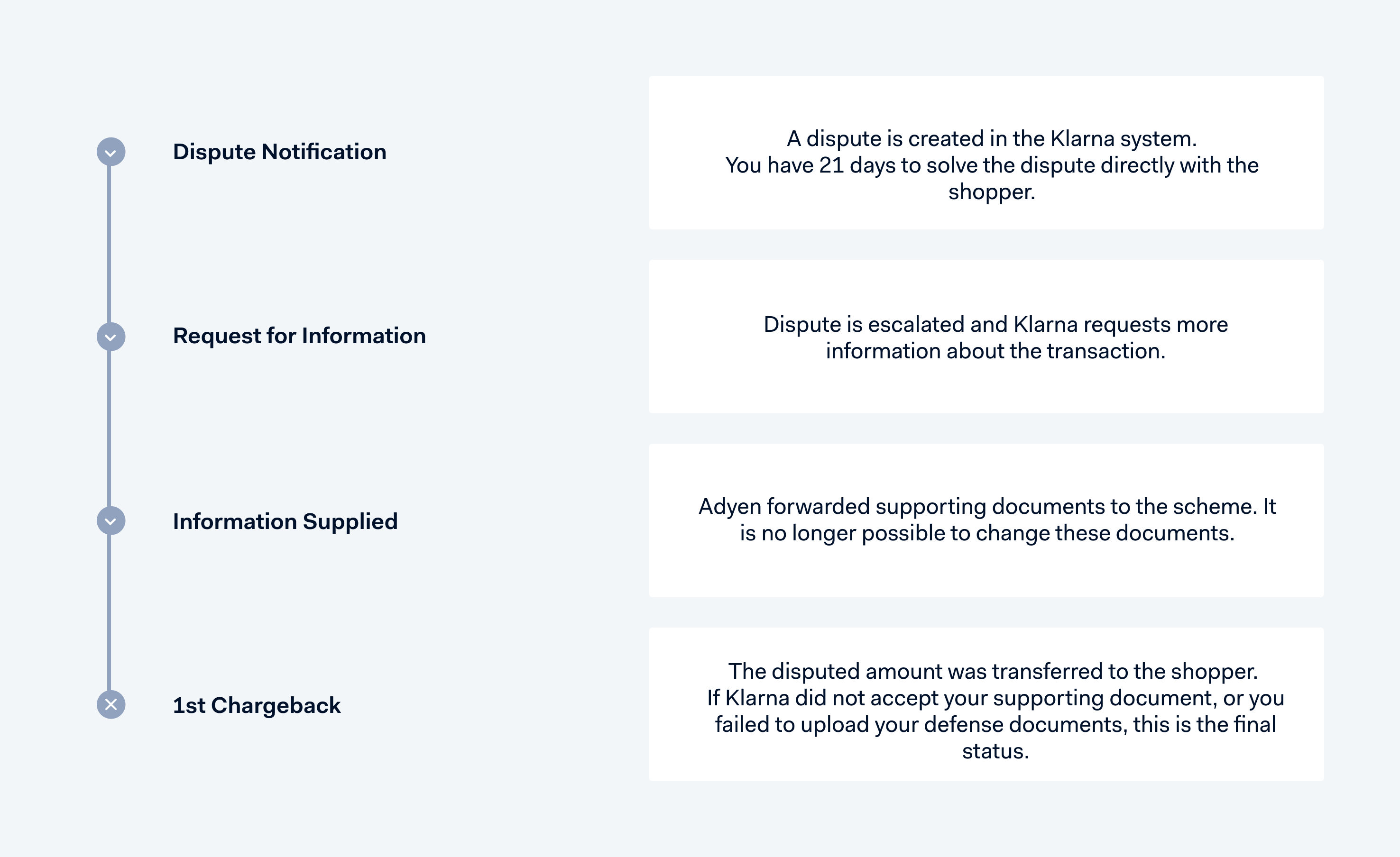
Dispute Notification
When a shopper raises a complaint, Klarna creates a dispute notification. You have 21 days to contact the shopper and resolve the complaint. For returns, the time period is 7 days. If you cannot resolve the complaint with the shopper within that time period, Klarna will escalate the complaint to a Request for Information. Disputes for unauthorized purchases and high risk orders must be addressed promptly. Therefore, they are escalated to a Request for Information much faster, within days or even hours after receiving a Dispute Notification. To inform you of a Dispute Notification:-
We send you a Request for Information dispute webhook. The reason code includes
notificationto indicate this is a Dispute Notification and not a Request for Information. For example,notification_goods_not_receivedfor a Dispute Notification, compared togoods_not_receivedfor a Request for Information. - In your Customer Area we show the complaint under Revenue & risk > Disputes > Requests for Information. To indicate this is a Dispute Notification and not a Request for Information, the description of the dispute reason starts with NOTIFICATION. For example, [NOTIFICATION] The user informed that the invoice is incorrect.
Request for Information
If the dispute is not resolved in time, Klarna escalates the dispute to a Request for Information (RFI). Unlike other payment methods, uploading the requested information is mandatory with Klarna. You need to respond to an Request for Information within:- 96 hours for the dispute reason code
high_risk_order. - 7 days for the dispute reason code
unauthorized_purchase. - 14 days for other dispute reason codes.
- We send you a Request for Information dispute webhook.
- In your Customer Area we show the complaint under Revenue & risk > Disputes > Requests for Information.
Request for Information reason codes
The following table shows the reason codes you can expect for a Request for Information.Respond to an RFI
If you do not agree with the RFI dispute, you can try to defend it. Note that you have only one attempt to submit all the necessary information. After that, it is no longer possible to make any changes to the documents. To defend the dispute, you need to:- Provide your defense documents. For each case, there is a template for you to fill in:
- After filling in the template, save the document as a PDF file.
- Submit the PDF file using our Disputes API or the Customer Area.
Information Supplied
Adyen received your defense documents and forwarded them to the scheme. It is no longer possible to change these documents. The InformationSupplied journal is booked and we send you an INFORMATION_SUPPLIED webhook. Based on the information you provided, Klarna assesses the dispute and makes a decision:- If Klarna accepts your defense, no further journals are booked, and this is the final status.
- If Klarna rejects your defense, you will receive a chargeback.
1st Chargeback
Klarna resolves the dispute in the shopper’s favor, and initiates a chargeback. The Chargeback journal is booked, your account is debited, and you receive a CHARGEBACK webhook.You cannot defend this chargeback. This is the final status, and the dispute is lost.
Managing chargebacks
You can manage the Klarna chargeback flow using the Disputes API or your Customer Area. The Klarna documentation has more information about Klarna disputes. Discontinued email notification From May 1, 2023, you no longer receive an email about stop requests by Klarna. Instead, these are reported as a Request for Information (RFI) with the reason codehigh_risk_order. Resolve these RFIs through the Disputes API or your Customer Area using the correct defense template.